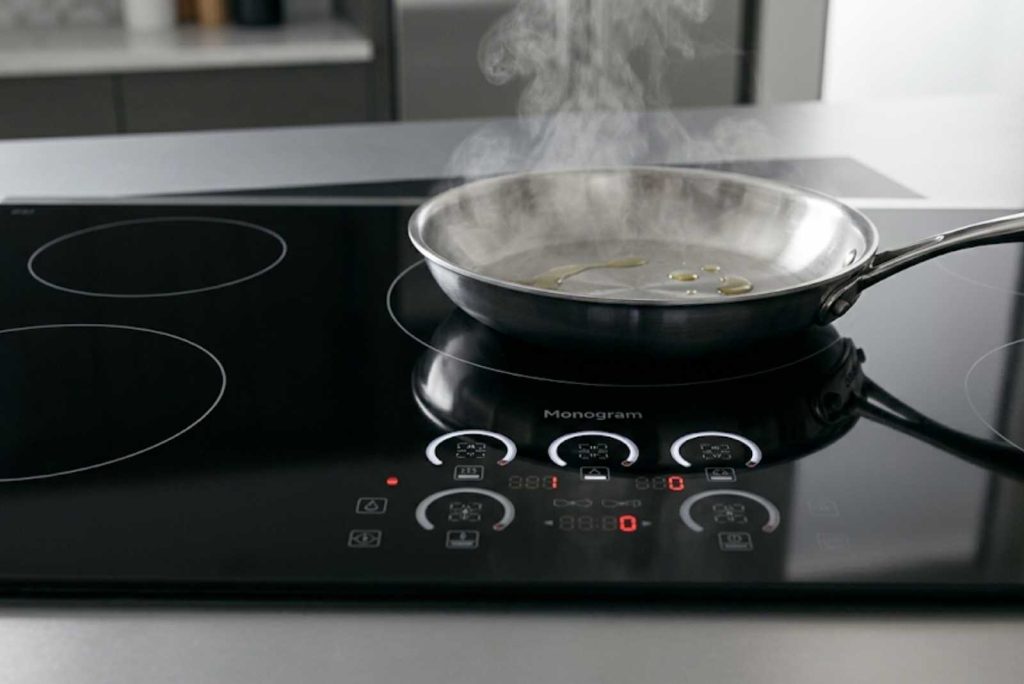
A GE Monogram induction cooktop that won’t turn on, won’t heat, or shuts itself off usually traces to one of three boards: the touch control board, an induction power module, or the main control board. Rule out cookware, the control lock, and a tripped breaker first, since those mimic a board failure but cost nothing to fix.
After years of servicing these cooktops, I can tell you most “dead” Monogram induction units fall into two camps: a simple lockout or cookware issue the owner can clear in seconds, or a board fault that needs a technician. This guide separates the two and explains which board does what, so you know what you’re dealing with before you call. GE Monogram Repair Expert services built-in GE Monogram induction cooktops and ranges across California, Washington, and Massachusetts. If the cooktop stays unresponsive after the checks below, you can book a certified technician.
First, rule out what looks like a board fault but isn’t
Most service calls for a “broken” induction cooktop are not board failures at all. Because Monogram cooktops are fully electronic with no knobs, a lockout or a cookware problem looks identical to a dead unit.
Confirm your pan is induction-compatible by holding a magnet to its base; if the magnet doesn’t stick, the burner won’t fire. The pan must be flat, centered, and at least the minimum size for the element, or the power level flashes and shuts off after about 25 seconds. Check the control lock, since a held lock button or an active Sabbath mode disables the whole panel while the indicator lights stay on, and a removed pan triggers an automatic 30-second shutoff.
If none of that applies, check the breaker, and remember that a 208-volt supply, common in some homes, can leave induction burners weak or flashing even when nothing is broken.
The three boards inside a Monogram induction cooktop
Understanding the architecture tells you what failed. A Monogram induction cooktop runs on three types of board, and the symptom usually points straight to one of them.
The touch control board, or user interface, reads your finger presses on the glass and is the most exposed to heat, moisture, and spills. The induction power modules sit underneath and convert incoming power into the magnetic field that heats the pan; larger cooktops use more than one, each driving specific burners. The main control board ties everything together and manages the whole system, so when it fails, nothing works.
Touch control board: unresponsive buttons and EC errors
A panel that won’t respond to touch is the most common board fault I see. The glass touch surface or its ribbon cable degrades over years of heat and cleaning, and the cooktop stops registering presses.
An “EC” or “E” code is the giveaway: it means the cooktop can’t communicate with the touchpad, often because it reads the surface as dirty. Wipe the glass with a damp cloth first, since a genuine smudge can trigger it. If the buttons stay dead or the keypad flashes steadily after a power cycle, the touch board or its ribbon connection has failed, and a power cycle will not bring it back.
Power module vs main board: dead burners or a dead cooktop
Where the cooktop fails tells you which board to suspect. The pattern is reliable, and it is the fastest way to scope the repair.
If one or two burners are dead or show an “E” while the others heat normally, the induction power module for those burners is the likely fault, not the whole cooktop. If the entire panel is dark with confirmed power, or every burner shows dashes and the cooling fan runs constantly, that points to the main control board. The clearest tell of a main-board or power-module failure is that a full power cycle changes nothing, which is exactly when a cooktop repair is the right next step.
Read the fault codes and try a reset
Monogram cooktops store fault codes you can pull up before deciding anything. On most models, press and hold the TIMER ON/OFF and CONTROL LOCK pads together for about 10 seconds, and the codes blink in each element’s display.
A flashing “F” is not a fault; it means no pan, a pan off-center, or a pan too small. “Eo” means the surface is too hot, so let it cool for 30 minutes and clear the vents. To reset the electronics, switch the cooktop off at the breaker for 5 to 7 minutes, then restore power; a stubborn case sometimes needs a longer hard reset of several hours. If a real fault code returns after the reset, the board has failed and needs service.
When to call a technician
Some of this is in your hands, and some is not. Cookware, the control lock, surface cleaning, and a breaker reset are yours; the boards are not, both because the diagnosis needs service tools and because the parts are costly.
An induction touch board or power module is one of the more expensive parts in the kitchen, so the repair is worth weighing against the cooktop’s age and value. GE Monogram Repair Expert works from a diagnostic-first written quote, so you see the failed board and the price before any work begins, and certified technicians fit genuine OEM parts. To decide between fixing and replacing, see our repair-or-replace guide; if the cooktop also throws oven-style codes on a range, our oven error code guide covers those.
Frequently asked questions
Why won’t my GE Monogram induction cooktop turn on?
Start with the non-faults: confirm the pan is magnetic, flat, and centered, check that the control lock or Sabbath mode isn’t on, and reset the breaker. A 208-volt supply can also weaken induction burners. If the panel stays dark with confirmed power, the main control board or touch board has likely failed and needs service.
Why does my GE Monogram induction cooktop turn off by itself?
Auto-shutoff usually means overheating or a cookware issue. The cooktop shuts a burner off about 30 seconds after a pan is removed, and the internal sensor cuts power if the unit overheats from blocked vents or an empty pan. If it shuts off under normal use with the fan running constantly, suspect a power module or the main board.
What does an E or EC error mean on a GE Monogram cooktop?
An “EC” or “E” code is a communication error between the cooktop and the touchpad, often because the surface reads as dirty. Wipe the glass with a damp cloth first. If the code returns after cleaning and a power cycle, the touch control board or its ribbon cable has failed and needs replacement by a technician.
How do I reset a GE Monogram induction cooktop?
Switch the cooktop off at the circuit breaker for 5 to 7 minutes, then turn it back on; most models have no separate reset button, so the power cycle is the reset. A stubborn fault sometimes clears with a longer hard reset of several hours. If a fault code returns after resetting, the problem is a failed board.
Is it worth repairing a GE Monogram induction cooktop control board?
Often yes, because a built-in induction cooktop is expensive to replace, but the board itself is a costly part, so the math depends on the cooktop’s age. Get a written diagnosis of which board failed, then weigh it against replacement using our repair-or-replace guide. A single failed power module is usually worth fixing.
Know the board, then make the call
An unresponsive Monogram induction cooktop is either a quick lockout fix or a board that needs replacing, and the symptom tells you which. Clear the cookware, lock, and power issues first; if the panel or a burner stays dead through a power cycle, a board has failed.
When it comes to that, book a diagnostic visit with a certified GE Monogram technician and get a written quote before any work begins, so you know exactly which board failed and what the fix costs.