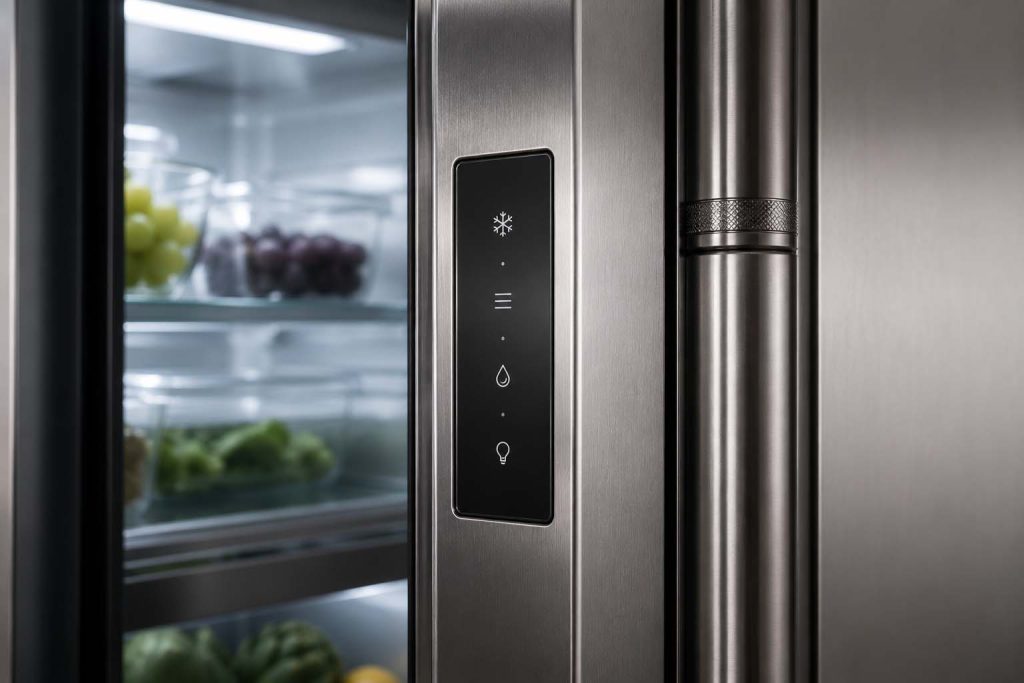
To reset a GE Monogram refrigerator, press and hold the power button on the control panel for 3 to 5 seconds, or unplug the unit (or switch off its breaker) for 5 minutes, then restore power. A reset clears control-panel glitches and error codes, but it won’t fix a failed compressor, sealed system, or control board.
A reset is the right first move for a frozen display or a code after a storm, and a waste of time for a real mechanical fault. This guide shows exactly how to reset a built-in Monogram refrigerator, how to clear a locked dispenser panel, and the faults a reset can never cure. GE Monogram Repair Expert services built-in GE Monogram refrigerators across California, Washington, and Massachusetts. If a reset doesn’t bring the unit back, you can book a certified technician for a diagnosis.
When a reset will (and won’t) help
Start here, because it saves you time. A reset reboots the electronic control, so it fixes glitches in the software, not failures in the hardware.
A reset can resolve an unresponsive or frozen control panel, a stuck error code, odd behavior after a power surge or outage, and a locked dispenser. It will not fix a refrigerator that isn’t cooling because of a failed compressor, a sealed-system leak, a dead evaporator fan, a defrost failure, a bad control board, or dirty coils. If the unit runs but stays warm, a reset is unlikely to help; that is a job for our not-cooling troubleshooting guide.
How to reset a GE Monogram refrigerator
There are two reliable methods, and most built-in models respond to one of them. Try the control-panel reset first; if the panel is dead, use the power cycle.
- Press and hold the power button. On the control panel, hold the power or on/off button for 3 to 5 seconds until the display turns off, then hold it again to power back on.
- Or power-cycle the unit. Unplug the refrigerator, or switch off its dedicated breaker, and wait a full 5 minutes so residual power drains from the board.
- Restore power. Plug it back in or flip the breaker on, and listen for the compressor and fans to start within a few minutes.
- Reset your temperatures. A reset can revert settings to default, so set the fresh-food section to 37°F and the freezer to 0°F.
- Watch for a few hours. Confirm it reaches temperature and the panel responds normally.
Many built-in Monogram refrigerators have no special button sequence; the power cycle is the reset. If you find a “reset” button combo for a different GE line, it may not apply to your model, so don’t force it.
Reset a locked dispenser or control panel
A dispenser or panel that won’t respond is often locked, not broken. A short power cycle clears most lockups: turn the refrigerator off at the breaker for 30 seconds, then back on.
Check the control lock first, since many models have a child-lock that disables the panel and dispenser while leaving the lights on; hold the lock button for 3 seconds to toggle it. On a newly installed unit, static from peeling the dispenser’s plastic film can lock the panel, and the same 30-second power cycle fixes it. If only the water side is dead, a clogged filter or a closed supply valve may be the cause, not the panel.
After a power outage
Outages are the most common reason a Monogram refrigerator needs a reset. The surge when power returns can leave the control panel frozen or unresponsive.
First, confirm the breaker didn’t trip and the outlet has power, then power-cycle the unit for 5 minutes to clear the glitch. Recheck your temperature settings, since they can default after an outage, and give the refrigerator a few hours to return to 37°F and 0°F. A surge protector or voltage stabilizer helps prevent the control board from taking damage in the next storm.
Faults a reset can’t cure
If a reset and a power cycle bring nothing back, the problem is hardware, and resetting again won’t change that. A panel that stays dark with confirmed power, or a unit that runs but won’t cool, points to a failed control board, compressor, or sealed-system fault.
These need a diagnosis and a part, not another reboot. GE Monogram Repair Expert works from a diagnostic-first written quote, so you see the fault and the price before any repair begins, and certified technicians fit genuine OEM parts. Start a built-in refrigerator repair, and keep up with the filter and coil tasks in our maintenance checklist to prevent the next fault.
Frequently asked questions
How do you reset a GE Monogram refrigerator?
Press and hold the power button on the control panel for 3 to 5 seconds to turn it off, then hold it again to restart. If the panel is unresponsive, unplug the refrigerator or switch off its breaker for 5 minutes, then restore power. Reset the temperatures to 37°F and 0°F afterward.
Does a GE Monogram refrigerator have a reset button?
Some models have a power or reset button on the control panel, but many built-in Monogram refrigerators do not, and a power cycle is the reset. Unplugging the unit or switching off its breaker for 5 minutes reboots the control board. If a panel stays dead afterward, the board may have failed.
How do I reset my GE Monogram refrigerator after a power outage?
First confirm the breaker didn’t trip and the outlet has power. Then power-cycle the refrigerator for 5 minutes to clear the glitch the surge caused, and restore power. Recheck the temperature settings, since an outage can revert them, and allow a few hours to return to 37°F and 0°F.
Why is my GE Monogram control panel not responding?
An unresponsive panel is often a control lock or a static lockup on a new unit; a 30-second power cycle or toggling the child-lock usually clears it. If the panel stays dark after a 5-minute power cycle with confirmed power, the control board may have failed and needs a technician.
Will a reset fix a GE Monogram refrigerator that’s not cooling?
Only if the cause was a software glitch. If the refrigerator runs but stays warm because of a failed compressor, sealed-system leak, or dead fan, a reset won’t help. Try a reset once, and if cooling doesn’t return, book a diagnosis rather than resetting repeatedly.
Reset first, diagnose second
A reset is a two-minute fix worth trying for any frozen panel or post-outage glitch, and it solves more small problems than people expect. But a reset only reboots the electronics; it can’t repair a worn part.
If your refrigerator won’t respond or won’t cool after a reset and a power cycle, book a diagnostic visit with a certified GE Monogram technician and get a written quote before any work begins.